Twitch Recap 2026: How to Get Your Streamer Recap Early (and Kick Recap)
By Alex Reed··4 min read
Twitch hasn't announced Twitch Recap 2026 yet. If you stream, you don't have to wait for it: the Twitch Recap 2026 by Streams Charts is already open and turns your channel's year into a shareable card. Kick streamers get the same thing with the Kick Recap 2026. Both opened on November 17, 2026.
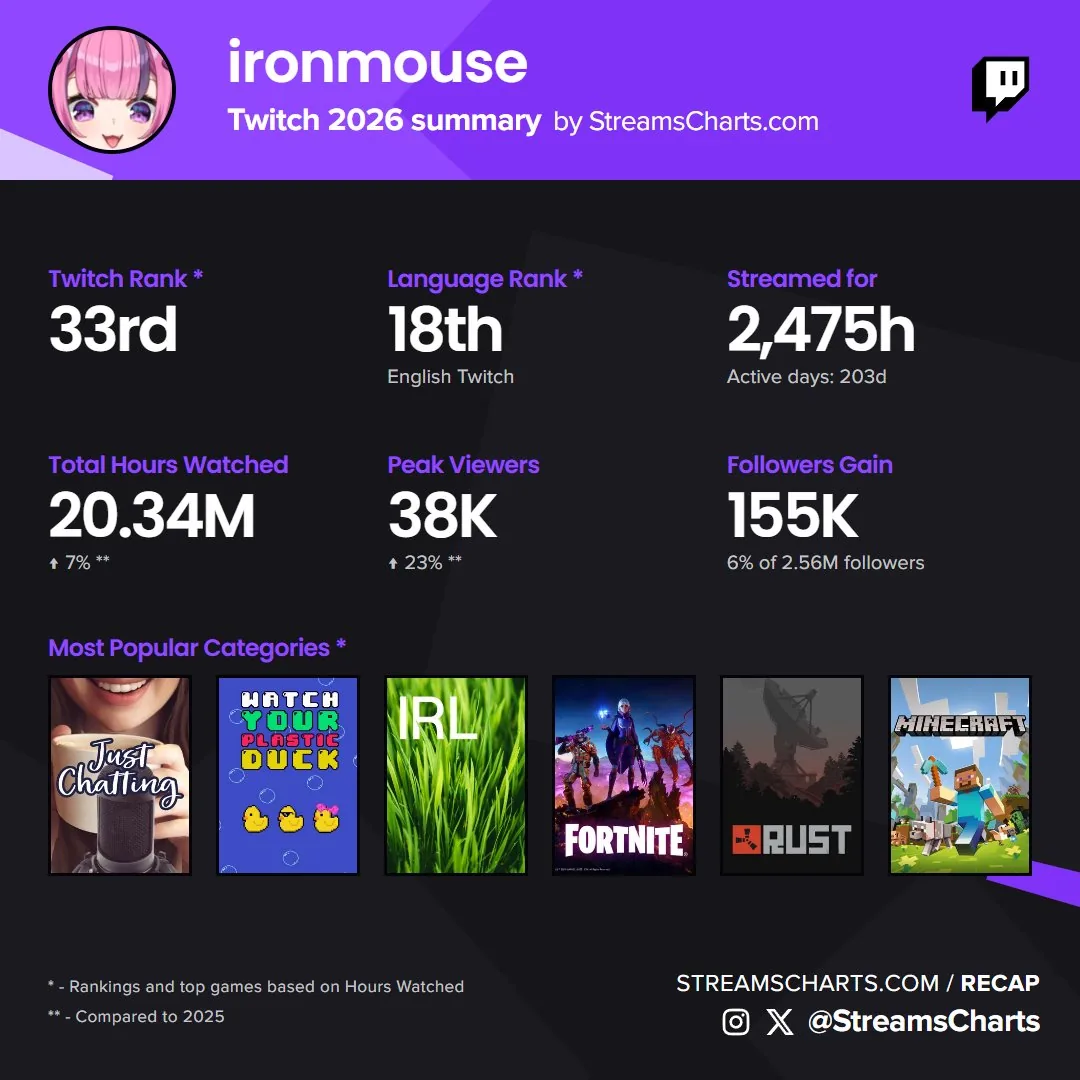
Quick notes
- Official Twitch Recap 2026: not announced as of November 18. Last year's went live on December 2, 2025.
- Streamer recap now: streamscharts.com/recap, log in with Twitch or DM @StreamsCharts on X.
- Kick recap now: streamscharts.com/kick-recap, log in with Kick.
- Unofficial: built from public stream data, not affiliated with Twitch or Kick.
- Streamers only: it shows what you streamed, not what you watched. Viewers wait for Twitch.
- Not the same as Stream Recaps: that's Twitch's new per-stream clip reel from October.
Twitch Hasn't Announced Its 2026 Recap Yet
As of November 18, 2026, Twitch hasn't shared a date for Twitch Recap 2026, and its annual recap page still points to 2025. The official recap usually lands in early December: Twitch Recap 2025 went live on December 2, 2025, together with a Twitch Recap 2025 chat badge for the platform's most active users. Expect a similar window this year, but treat any exact date you see online as a guess until Twitch confirms it.
The official Twitch Recap is built for everyone: viewers see the channels and categories they watched most, and streamers see a summary of their year. What it doesn't give you is context, like where your channel ranks on Twitch or how this year compares with last year. That's the gap the unofficial recap fills, and it's available weeks earlier.
How to Create Your Twitch Recap 2026 Now
- Open the Streams Charts Twitch Recap 2026 page.
- Click Log in with Twitch and approve the login on Twitch. Don't want to log in? Send a DM to @StreamsCharts on X and ask for your recap.
- If it's your first login, answer the short three-question account form. It takes under a minute.
- Your 2026 card appears with your channel stats.
- Scroll down to download it: a post (1920×1080), a story (1080×1920), and single-stat cards for hours watched, highest peak, airtime and top category.
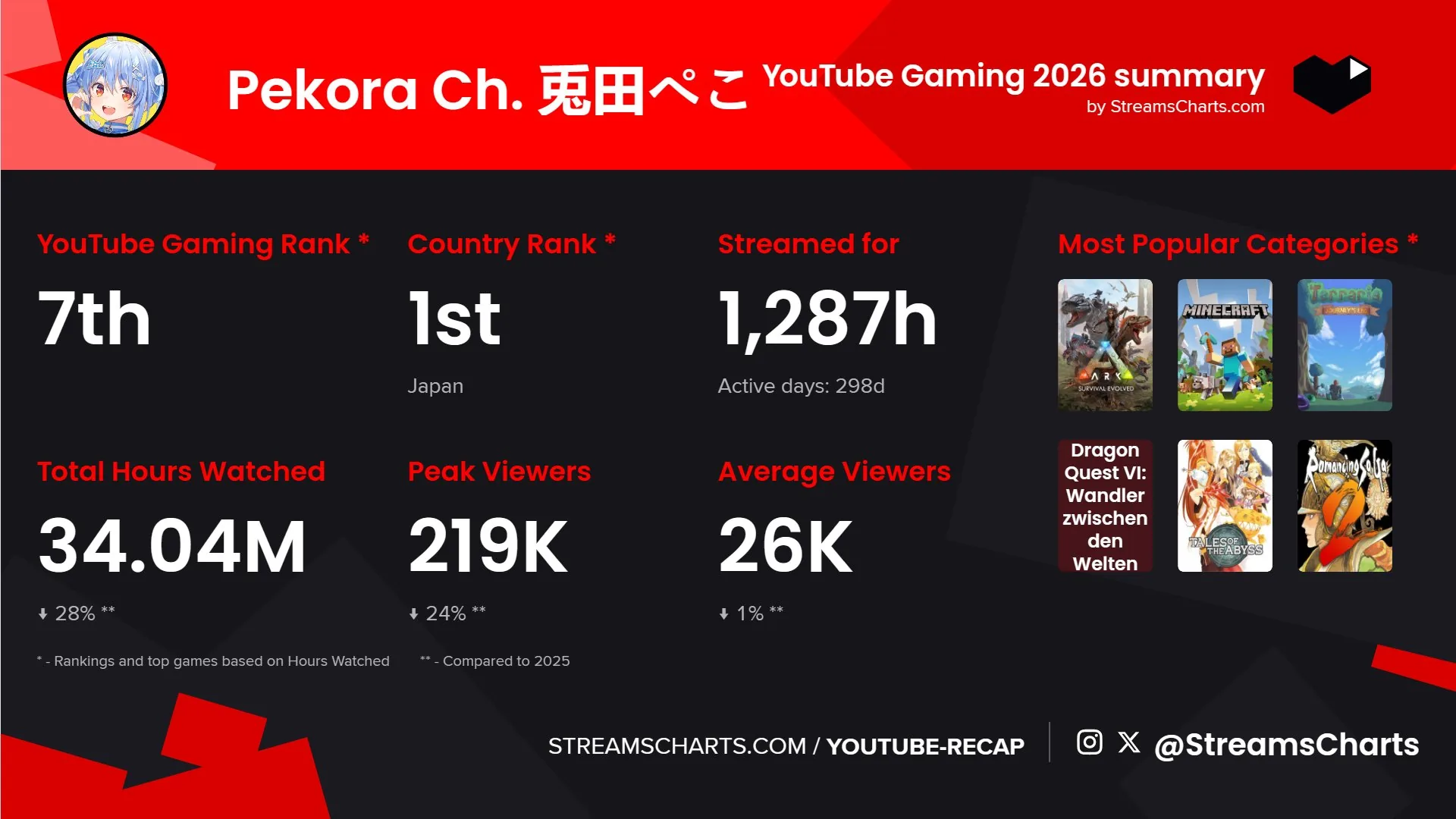
It works on mobile too: open the page in your phone's browser, log in and save the cards straight to your camera roll. The numbers are year-to-date, so if you keep streaming through December, generate the card again closer to New Year for the full picture.
What's on the Twitch and Kick Recap Cards
| Stat | Twitch Recap | Kick Recap |
|---|---|---|
| Platform rank (by hours watched) | Yes | Yes |
| Language rank | Yes | Yes |
| Hours streamed and active days | Yes | Yes |
| Total hours watched, vs 2025 | Yes | Yes |
| Peak viewers, vs 2025 | Yes | Yes |
| Followers gained | Yes | No |
| Average viewers, vs 2025 | No | Yes |
| Top categories (by hours watched) | Yes | Yes |
Rankings and top categories are based on hours watched. Year-over-year arrows compare with 2025, so they only show up if your channel was streaming last year. Very small channels may see gaps where there's not enough tracked data.
Kick Recap 2026
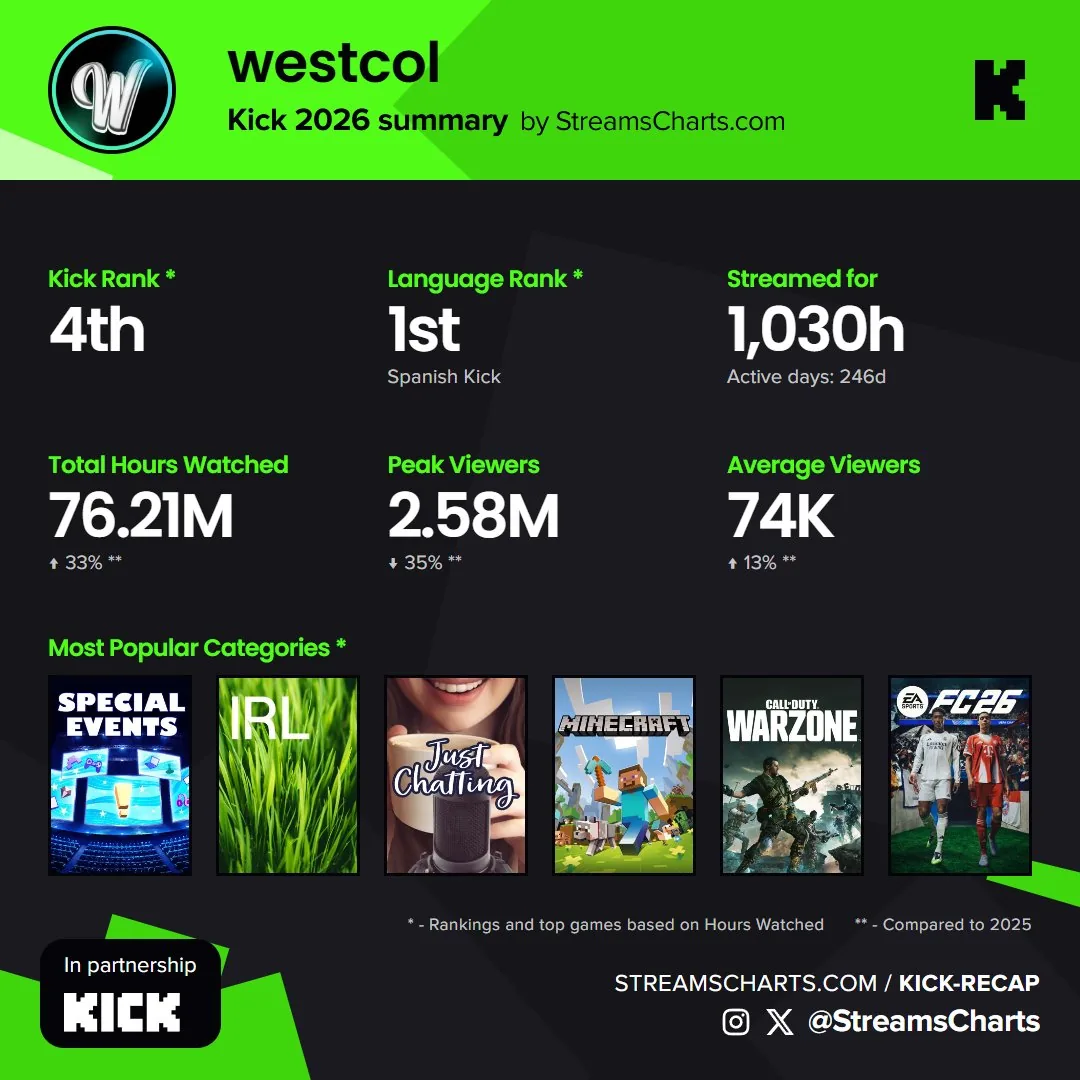
Kick doesn't have its own yearly recap built into the platform, so the Kick Recap 2026 page is the closest thing to a Kick Wrapped. Kick is listed as a partner on the page. Click Log in with Kick and you get the same layout as the Twitch version: Kick rank, language rank, hours streamed, hours watched and peak viewers with a 2025 comparison. One difference: the Kick card shows average viewers where the Twitch card shows followers gained. Unlike the Twitch page, there's no X DM option, so you need to log in.
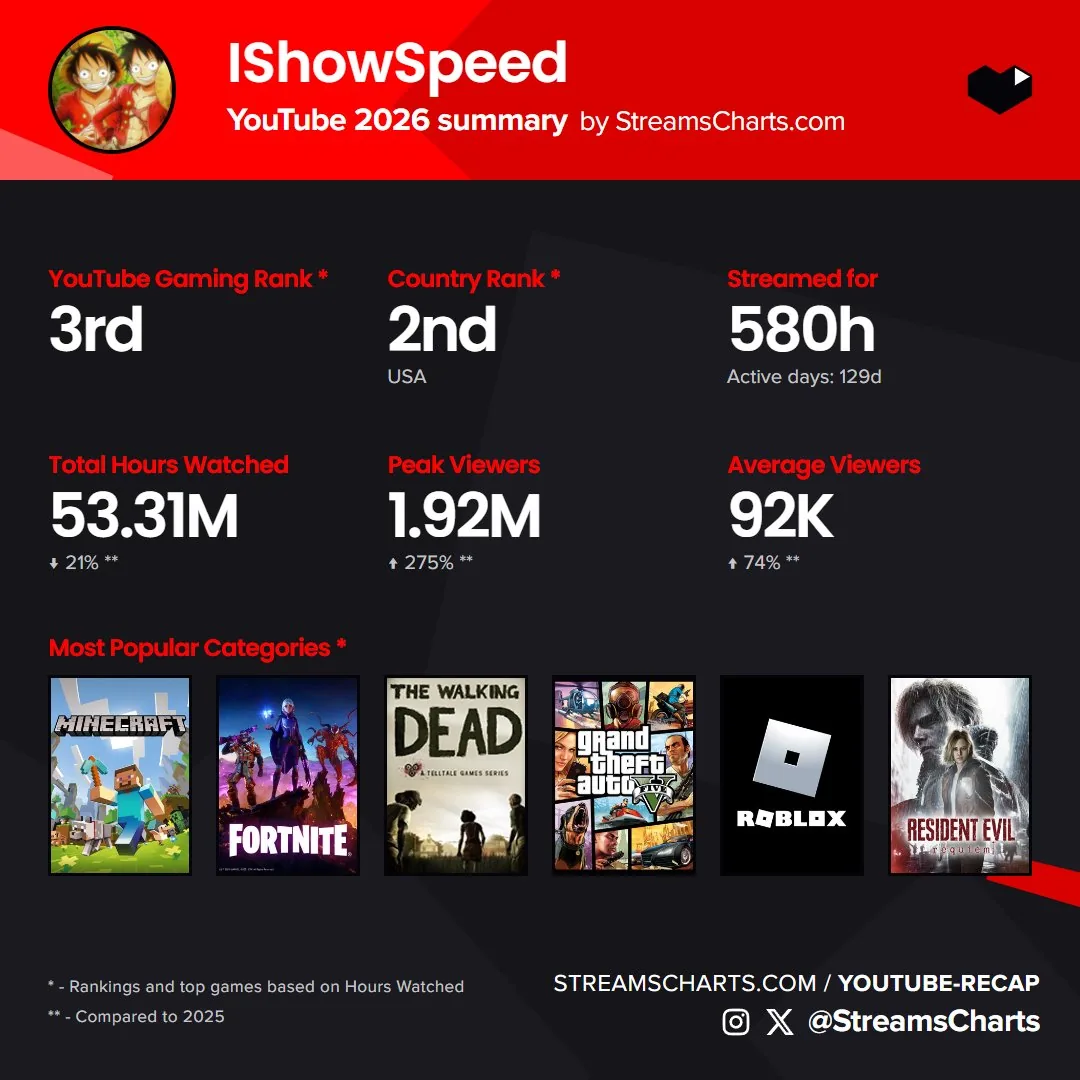
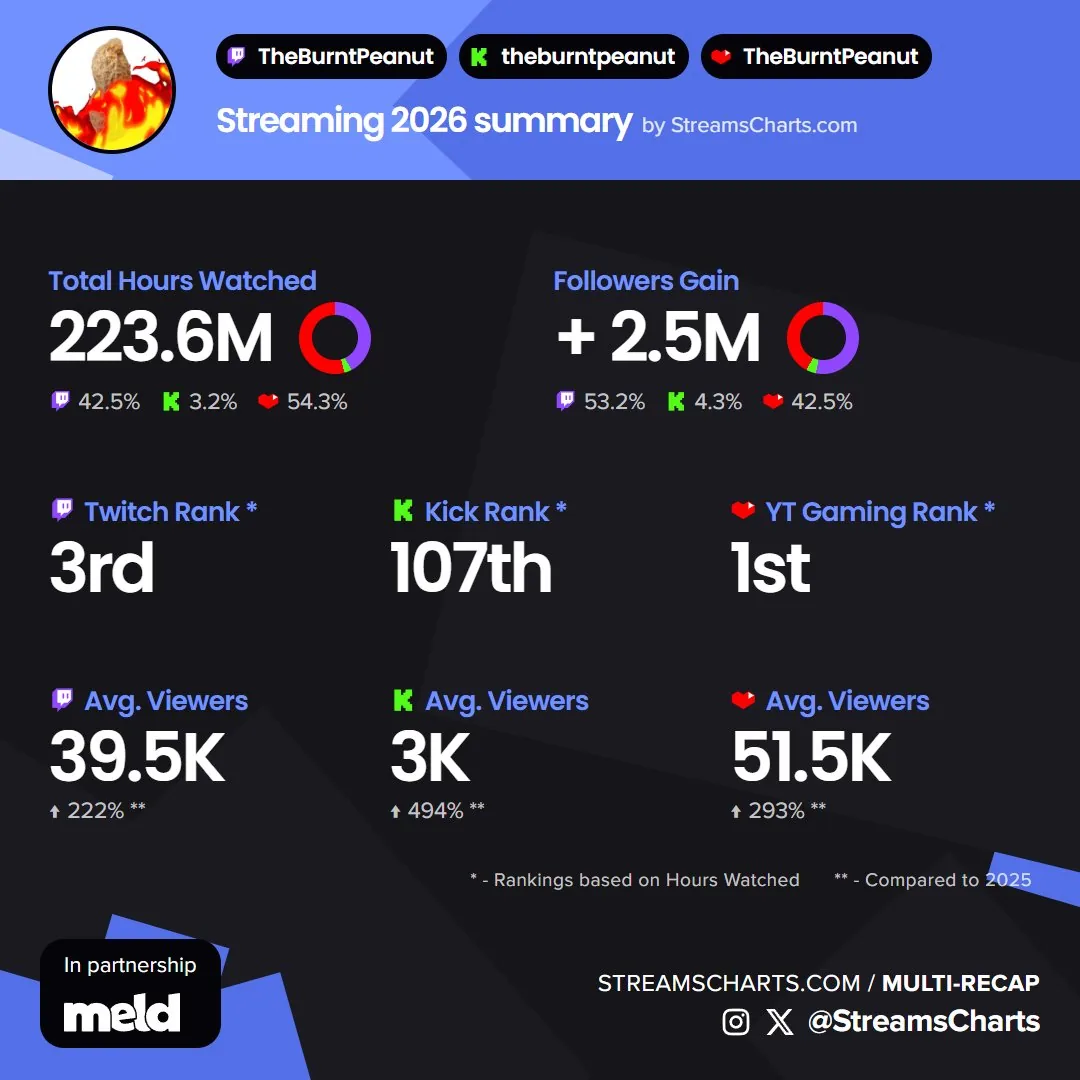
Streaming somewhere else as well? The same tool has a YouTube recap, a Rumble recap and a multistreaming recap that puts Twitch, Kick and YouTube together on one card. For YouTube's own year-end summary, see our YouTube Recap guide.
Official Twitch Recap vs. Streams Charts Recap
| Official Twitch Recap | Streams Charts Recap | |
|---|---|---|
| Who it's for | Viewers, streamers, mods | Streamers (your channel's stats) |
| Available | Not announced for 2026 | Now (opened November 17, 2026) |
| Made by | Twitch | Streams Charts, from public stream data |
| Platform and language rank | No | Yes |
| Comparison with 2025 | No | Yes |
| Kick, YouTube, Rumble | No | Yes, separate pages |
You don't have to pick one. Post the early card now while your community is in a year-end mood, then share Twitch's own recap when it drops in December.
Don't Confuse It With Twitch Stream Recaps
Searching for “Twitch recap” this year also brings up Stream Recaps, a feature Twitch launched on October 20, 2026. A Stream Recap is a short highlight reel of clips from a single broadcast. After each stream, you pick the clips in your Stream Summary or with the plus button in the mobile app, and the reel shows up at the top of your followers' mobile feed and on your channel page. Saying “Twitch Clip That” while live adds a clip to it automatically.
So: Stream Recaps are per stream and made of clips; Twitch Recap is yearly and made of stats. Good clips feed both, and our guide to making and editing Twitch clips covers the clip side.
Frequently Asked Questions
When does Twitch Recap 2026 come out?
Twitch hasn't announced a date yet (as of November 18, 2026). Last year Twitch Recap 2025 went live on December 2, 2025, so early December 2026 is the most likely window. Streamers who want their 2026 channel stats now can use the unofficial Twitch Recap 2026 by Streams Charts at streamscharts.com/recap.
How do I create my Twitch Recap as a streamer?
Open streamscharts.com/recap and click Log in with Twitch. First-time users answer a short three-question form. After that the page shows your 2026 card: Twitch rank, language rank, hours streamed, hours watched, peak viewers, followers gained and top categories. Download it as a post (1920×1080) or story (1080×1920). If you don't want to log in, you can DM @StreamsCharts on X instead.
How do I see my Twitch Recap as a viewer?
Viewers have to wait for Twitch's official recap. When it launches, it lives at twitch.tv/annual-recap and shows the channels and categories you watched most. The Streams Charts recap only covers streaming stats, not viewing history.
Is there a Twitch Wrapped?
Twitch's version of Spotify Wrapped is called Twitch Recap (or Twitch annual recap). It comes out once a year, usually in early December. For streamers, the Streams Charts Twitch Recap works as an early Twitch Wrapped for your channel.
How do I get my Kick Recap 2026?
Go to streamscharts.com/kick-recap and click Log in with Kick. The card shows your Kick rank, language rank, hours streamed, hours watched, peak and average viewers with a 2025 comparison, and your top categories. Kick doesn't have its own built-in yearly recap, and Kick is listed as a partner on that page.
Is the Streams Charts recap the official Twitch Recap?
No. It's an independent tool built from public stream data and isn't affiliated with Twitch. Twitch makes its own annual recap, which adds things only Twitch can see, like your watch history and chat activity.
Why is my Twitch Recap not showing?
For the official recap, it's usually too early: Twitch Recap 2026 hasn't launched yet. For the Streams Charts recap, the page says every creator who streamed at least once in 2026 can get one, but very small channels may have little or no tracked data, so some numbers can be missing.
What is the difference between Twitch Recap and Stream Recaps?
Twitch Recap is the yearly summary. Stream Recaps is a separate feature Twitch launched on October 20, 2026: after each broadcast, a short highlight reel of clips from that stream shows up at the top of your followers' mobile feed. It has nothing to do with yearly stats.
Where can I still see my Twitch Recap 2025?
Twitch's official 2025 recap went live on December 2, 2025 and is still on Twitch at twitch.tv/annual-recap/2025. Log in with your Twitch account to see your 2025 viewing or streaming summary. Streamers can also compare 2025 with 2026: the Streams Charts Twitch Recap 2026 card shows the change from 2025 for hours watched and peak viewers.
How do I get the Twitch Recap badge?
The badge comes with Twitch's official recap, not with third-party tools. In 2025 Twitch gave a Twitch Recap 2025 chat badge on December 2 to its most active users (reported as the top 20%). Twitch hasn't said whether there will be a 2026 badge.