How to Watch Multiple Twitch, YouTube, Kick Streams at Once
Complete 2026 guide to multi-platform stream viewing. Learn how to watch Twitch, YouTube, and Kick streams simultaneously using advanced multiwatch tools. Perfect for cross-platform tournaments and following creators across different platforms.
What is a Multiwatch Tool?
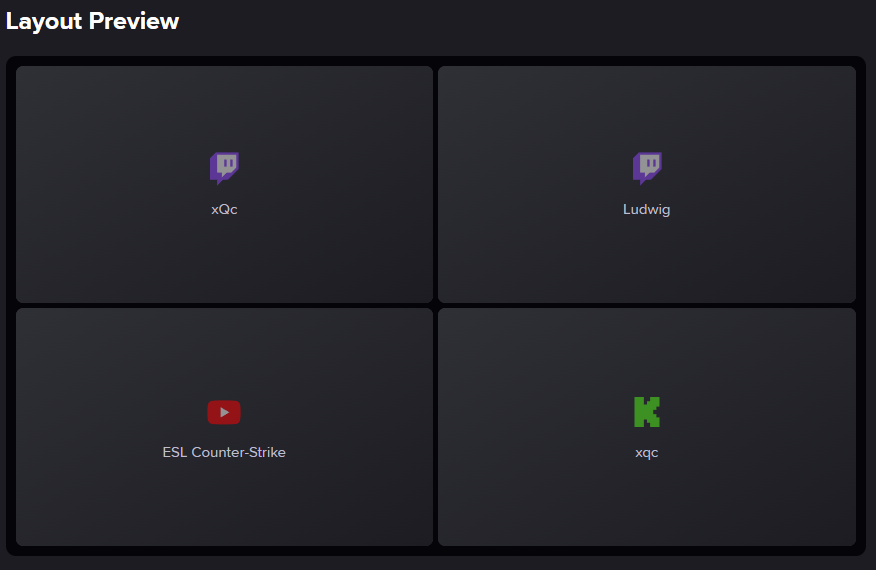
A multiwatch tool (also called a multistream viewer) allows you to watch multiple live streams simultaneously in a single browser window. Unlike traditional viewing where you switch between tabs, these tools display streams side-by-side in customizable layouts, letting you follow multiple creators, tournaments, or events at once.
In 2026, the best multiwatch tools support cross-platform viewing across Twitch, YouTube, and Kick, enabling you to watch creators regardless of their streaming platform.
Best Multi-Platform Multiwatch Tools (2026)
Streamer.Guide Multiwatch
The most advanced multi-platform multiwatch solution with full support for Twitch, YouTube, and Kick. Features include custom layouts, synchronized controls, integrated chat, and zero advertisements.
- ✓Platforms: Twitch, YouTube, Kick
- ✓Key Features: Drag-and-drop layouts, cross-platform chat, mobile-optimized, completely free
- ✓Best For: Power users, cross-platform viewing, tournament coverage, content creators
- ✓Price: Free (no ads)
Streams Charts Multistream Tool
Analytics-focused multistream tool with built-in viewer statistics and tracking. Part of the Streams Charts analytics platform with support for all major streaming platforms.
- ✓Platforms: Twitch, YouTube, Kick, Trovo
- ✓Key Features: Real-time analytics, viewership tracking, professional tools
- ✓Best For: Data-driven viewers, content creators, esports analysts
- ✓Price: Free (basic), Premium features available
Esports Charts Multistream Tool
Esports-focused multistream viewer with tournament tracking and competitive gaming analytics integration across all major platforms.
- ✓Platforms: Twitch, YouTube, Kick, Trovo
- ✓Key Features: Tournament integration, team tracking, match schedules, esports analytics
- ✓Best For: Esports fans, tournament viewers, competitive gaming communities
- ✓Price: Free (basic), Premium features available
How to Watch Multiple Streams from Different Platforms
Step-by-Step Setup (Streamer.Guide Multiwatch)
- Navigate to streamer.guide/tools/multiwatch
- Click "Add Stream" and paste a Twitch channel URL (e.g., twitch.tv/shroud)
- Click "Add Stream" again and paste a YouTube livestream URL
- Add a Kick channel URL (kick.com/channelname)
- Drag streams to your preferred positions in the layout
- Adjust volume controls for each stream individually
- Enable chat windows for any streams you want to follow
- Save your layout URL for future access
Cross-Platform Viewing Best Practices
Platform-Specific Considerations
Twitch: Best compatibility, lowest latency. YouTube: Higher quality options but slightly delayed. Kick: Growing platform with improving multistream support.
Bandwidth Requirements
Each stream requires 3-10 Mbps depending on quality. For 4 streams at 1080p, you need 20-40 Mbps internet. Lower quality settings to 720p or 480p if experiencing buffering.
Audio Management
Mute all but one stream to avoid audio overlap. Focus audio on your main stream while monitoring others visually. Use headphones for better audio isolation.
Layout Optimization
2-stream split: Best for detailed comparison. 4-stream grid: Ideal for tournaments. 6+ streams: Requires ultrawide or multiple monitors for optimal viewing.
Common Use Cases
Cross-Platform Tournaments
Modern esports tournaments often broadcast simultaneously on Twitch, YouTube, and sometimes Kick. Watch the main English broadcast on Twitch, co-streams on YouTube, and player POVs across all platforms.
Following Creators Who Stream Elsewhere
Some creators have moved to Kick or YouTube while others remain on Twitch. Multiwatch tools let you follow your favorite streamers regardless of platform migration.
Community Events
Large community events like Rust servers or Minecraft SMPs often have participants streaming on different platforms. Watch multiple perspectives simultaneously to experience the full event.
FAQ
Can I mix Twitch, YouTube, and Kick streams in the same multiwatch layout?
Yes, Streamer.Guide Multiwatch fully supports mixing streams from Twitch, YouTube, and Kick in a single layout. Streams Charts and Esports Charts also support all three platforms.
Are multiwatch tools free to use?
Most multiwatch tools are completely free. Streamer.Guide Multiwatch is completely ad-free, while some other platforms may show occasional advertisements.
Do I need an account to use multiwatch tools?
No, most multiwatch tools work without creating an account. However, signing in allows you to save custom layouts and preferences.
Can I watch multistream on mobile devices?
Yes, Streamer.Guide Multiwatch is fully optimized for mobile viewing. Other tools may have limited mobile functionality compared to desktop browsers.
Does watching in multistream count as views for creators?
Yes, each stream you watch in a multistream viewer counts as a legitimate view for that channel's analytics and helps support the creator.
What's the maximum number of streams I can watch at once?
Most tools support 2-9 streams simultaneously. The practical limit depends on your internet bandwidth (recommend 50+ Mbps for 4+ streams) and screen size for comfortable viewing.