Best Capture Cards for PC & Console
A capture card is what lets you stream a console, run a two-PC setup, or use a real camera as your webcam. The spec that actually matters is passthrough — it decides what resolution and refresh rate you keep while streaming. Here are the cards worth buying in 2026, from a $21 dongle to a no-compromise 4K144 flagship.
Prices and picks checked . Prices move — treat them as a guide, not a quote.
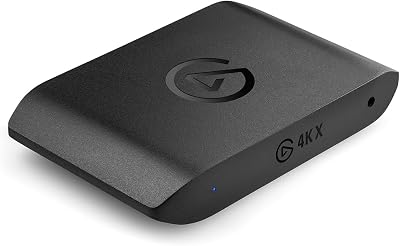
Elgato 4K X
TOP PICKExternal USB4K144 passthroughThe no-compromise external card. HDMI 2.1 means your console or PC still runs at 4K144 or 1440p240 while you capture — the only reason to spend this much is that you refuse to lose a single frame on your own display.
$250
Buy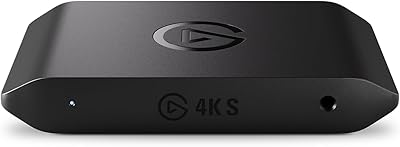
Elgato 4K S
TOP PICKExternal USB4K60 captureThe card most console streamers should buy, and the successor to the long-serving HD60 X. 4K60 capture with HDR, built for PS5, Xbox Series X/S and Switch 2, at roughly half the price of the 4K X.
$139
Buy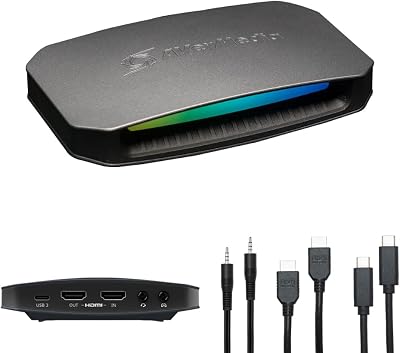
AVerMedia 4K60 (HDMI 2.1)
External USB4K144 passthroughAVerMedia's answer to the 4K X, usually $60 cheaper. Same HDMI 2.1 high-refresh passthrough story; you trade Elgato's software polish for more hardware per dollar.
$189
Buy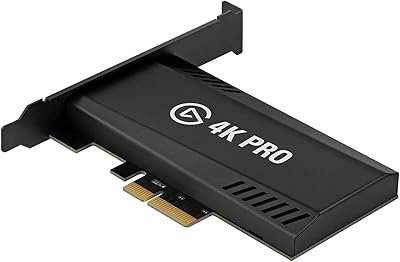
Elgato 4K Pro
Internal PCIe8K60 passthroughLives inside your PC, so there is no USB bandwidth to fight over and nothing extra on the desk. The pick for a two-PC setup or anyone whose USB ports are already saturated with mic, camera and Stream Deck.
$250
Buy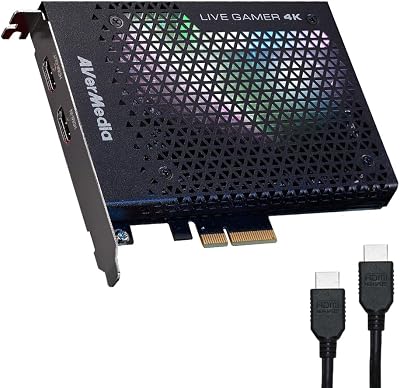
AVerMedia GC573 Live Gamer 4K
Internal PCIe4K60 HDR captureThe value internal card. 4K60 HDR capture and 240Hz-capable passthrough at 1080p for a good $90 less than Elgato's internal option — a long-standing favourite in dedicated capture PCs.
$159
Buy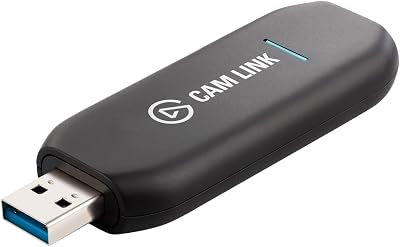
Elgato Cam Link 4K
Camera Adapter1080p60 / 4K30A different job entirely: this turns a DSLR, mirrorless or action camera into a webcam over HDMI. If you want a genuinely cinematic camera look instead of a webcam, this is the cheapest route there.
$89
Buy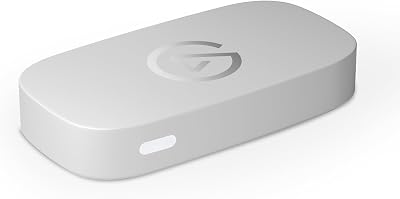
Elgato Game Capture Neo
External USB4K60 HDR passthroughPocket-size and plug-and-play — 4K60 HDR passthrough with 1080p60 recording, no drivers, no software required. Built for travelling to events or capturing on a laptop.
$89
Buy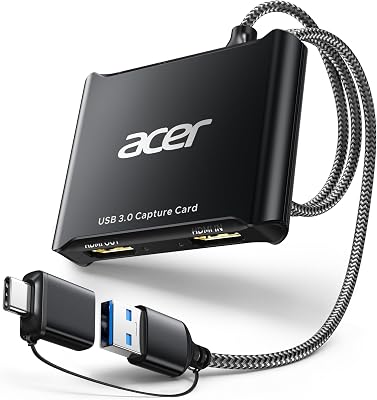
acer USB 3.0 Capture Card
External USB1080p60 captureThe honest budget answer. A $21 dongle captures 1080p60 perfectly well — what you give up is 4K passthrough, so your own screen drops to the captured resolution. Fine as a first card or an emergency spare.
$21
BuyQuick Comparison
| Product | Type | Resolution | Price | Best For | Rating |
|---|---|---|---|---|---|
| Elgato 4K X | External USB | 4K144 passthrough | $250 | High-refresh setups | 5.0 |
| Elgato 4K S | External USB | 4K60 capture | $139 | Best value for consoles | 5.0 |
| AVerMedia 4K60 (HDMI 2.1) | External USB | 4K144 passthrough | $189 | Cheaper 4K alternative | 4.5 |
| Elgato 4K Pro | Internal PCIe | 8K60 passthrough | $250 | Two-PC & clean builds | 4.5 |
| AVerMedia GC573 Live Gamer 4K | Internal PCIe | 4K60 HDR capture | $159 | Budget internal card | 4.5 |
| Elgato Cam Link 4K | Camera Adapter | 1080p60 / 4K30 | $89 | Camera as webcam | 4.5 |
| Elgato Game Capture Neo | External USB | 4K60 HDR passthrough | $89 | Laptop & travel setups | 4.5 |
| acer USB 3.0 Capture Card | External USB | 1080p60 capture | $21 | Cheapest working option | 4.0 |
Frequently Asked Questions
Do I need a capture card to stream?
Only if the thing you're capturing isn't the PC you stream from. You need one to stream a console (PS5, Xbox, Switch), to run a two-PC setup where a second machine handles encoding, or to use a DSLR or mirrorless camera as your webcam. If you stream PC games from the same PC, OBS captures the game directly and a capture card adds nothing.
What does passthrough mean and why does it matter?
Passthrough sends the video signal straight to your own monitor while the card captures a copy, so you play at full quality with no added lag. The important detail is that the passthrough spec caps what you see: an HDMI 2.1 card like the Elgato 4K X passes 4K144, while a cheap card with no passthrough forces your display down to the captured resolution. Buy passthrough that matches your monitor, not your stream.
Internal or external capture card — which should I get?
External (USB) cards are simpler, portable, and work with laptops — the right default. Internal PCIe cards like the Elgato 4K Pro or AVerMedia GC573 avoid competing for USB bandwidth with your mic, webcam and Stream Deck, and keep the desk clear, which makes them the better choice in a dedicated two-PC streaming setup.
Do I need a 4K capture card if I stream at 1080p?
For the stream itself, no — Twitch caps most streamers at 1080p, so a 1080p60 card is enough for output. You buy 4K for two other reasons: high-refresh passthrough so your own gameplay isn't degraded, and downscaling, since capturing 4K and encoding to 1080p produces a noticeably sharper image than capturing 1080p directly.
Are cheap capture cards from Amazon any good?
For 1080p60 capture, the $20–25 USB dongles genuinely work and are a reasonable first card or backup. The compromises are real though: no 4K passthrough (your own display drops to the captured resolution), higher latency, and no software ecosystem. Once streaming is more than an experiment, the Elgato 4K S is the upgrade that fixes all three.
What capture card works with the Nintendo Switch 2?
Any HDMI capture card handles the Switch 2, since Nintendo doesn't apply HDCP copy protection to gameplay. The Elgato 4K S is explicitly marketed for it and is the easiest match at $139; the budget dongles also work if you only need 1080p60. Note that HDCP does block capture of some streaming apps on PlayStation — that's a console setting, not a card limitation.
Related Gear Categories
Buy Passthrough for Your Monitor, Not Your Stream
This is the mistake that costs people money twice. Your stream will almost certainly go out at 1080p60 regardless of which card you own, because that is what platforms allow most channels. What changes with price is the passthrough: an HDMI 2.1 card keeps your own display at 4K144, a mid-range card at 4K60, and a cheap dongle with no passthrough drops you to the captured resolution entirely. Match the card to the monitor you actually play on — see our monitor picks if you are building both at once.
One PC or Two?
A single modern PC with NVENC can game and encode at once, so most streamers never need a second machine — start there and check your dropped-frame count. If encoding is genuinely starving your game, a two-PC setup with an internal card on the streaming PC is the clean fix, and our bitrate & encoder cheat sheet covers the settings to try first. For the full decision framework, read the capture card buying guide.
As an Amazon Associate, Streamer.Guide earns from qualifying purchases. Prices and availability may vary.