Podcast + Stream Setup: The Complete 2026 Guide
Podcasting and live streaming have merged. In 2026, most growing shows record a video podcast, stream it live to YouTube, Twitch, or LinkedIn, and chop it into clips for TikTok, Shorts, and Reels — all from a single session. This guide covers the gear worth buying, the software that ties it together, and the exact workflow to record studio-quality audio while going live.
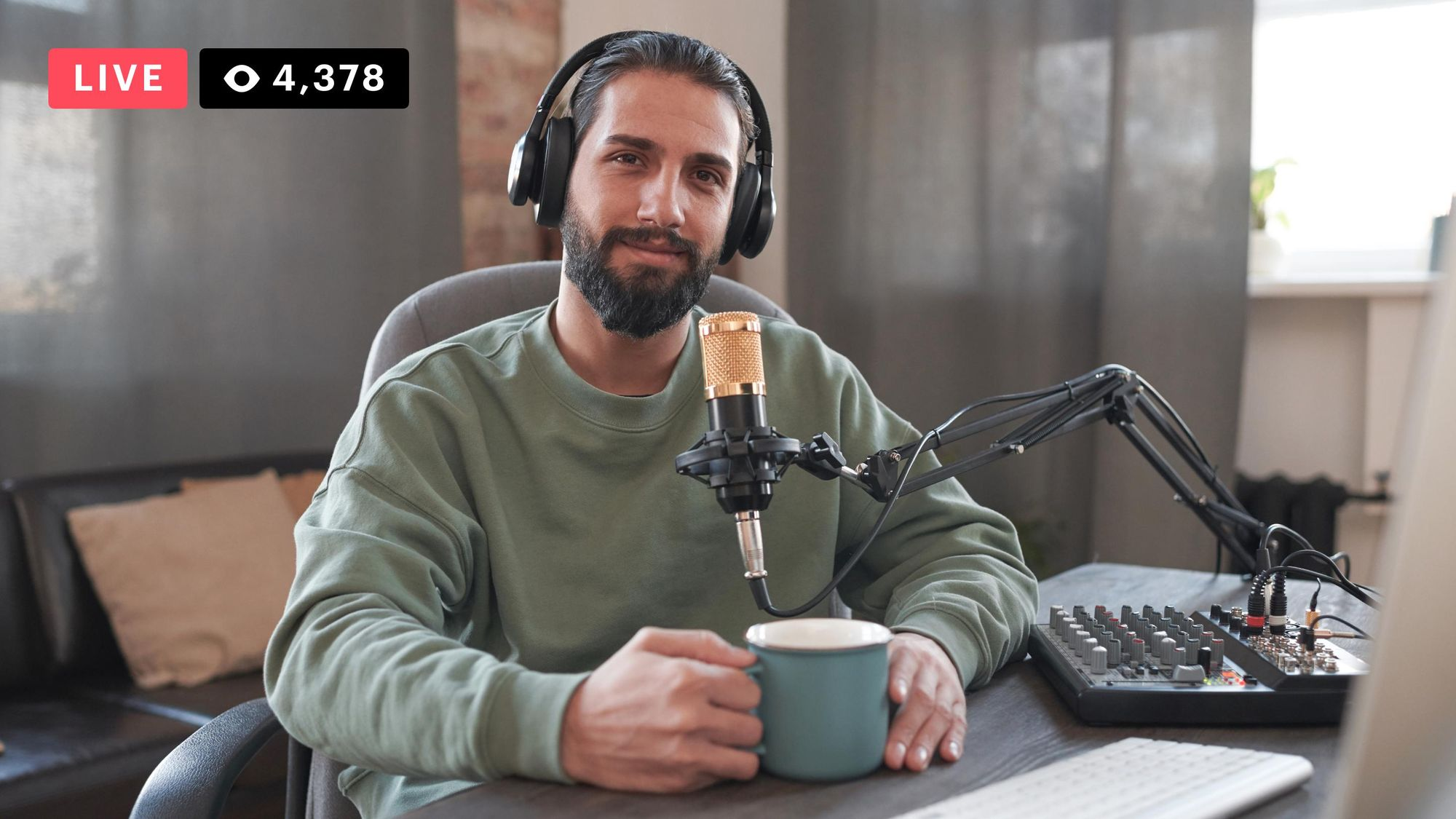
A typical live podcast studio setup. Image via Restream
Step 1: Decide Your Format First
Your format determines everything else — settle it before you spend a dollar.
Audio-only vs. video
Video unlocks YouTube and clips but adds cameras, lighting, and storage.
Solo, remote, or in-person
Remote guests need a browser studio; in-person multi-mic shows need a mixer.
Live vs. recorded
Going live changes your software choice and means you cannot re-record mistakes.
Step 2: The Gear
You can start for under $150 and scale to a pro studio. Buy in this order — audio matters far more than video.
Microphones
This is your highest-impact purchase. Prioritize it above camera, lighting, and everything else.
Shure SM7B
Studio-standard dynamic mic, exceptional room-noise rejection.
Shure SM7dB
SM7B with an integrated preamp — works with low-gain interfaces.
Electro-Voice RE20
Flat, natural sound. Staple of radio and podcast studios for decades.
Rode PodMic
Broadcast-quality dynamic with a built-in pop filter. Great value.
Rode Wireless Pro
Records 32-bit float on-board — clipping is nearly impossible.
Mixer / Audio Interface
For multi-mic, in-person shows, the RODECaster Pro II is an all-in-one production studio handling several mics, sound pads, and live sources. For one or two XLR mics, a simpler interface like a Focusrite Scarlett Solo is enough.
Headphones
Use closed-back monitoring headphones so mic audio does not bleed back into the recording.
Camera (video podcasts)
Easy plug-and-play
1080p60, USB-C, autofocus
1080p60, uncompressed USB
Premium mirrorless
Cinematic look, shallow depth — needs capture card
Full-frame, professional image quality
Setup Tiers at a Glance
~$150
- Samson Q2U (USB + XLR)
- Closed-back headphones
- Free recording software (Audacity / GarageBand)
~$500
- XLR mic (Rode PodMic or SM7B)
- Audio interface (Focusrite Scarlett Solo)
- Webcam (Logitech StreamCam or Elgato Facecam)
- Key light + boom arm
$1,000+
- RODECaster Pro II (multi-mic mixer)
- Shure SM7B / EV RE20 (per seat)
- Mirrorless camera (Sony ZV-E10 II / A7)
- Capture card + lighting + acoustic panels
Step 3: Software & Tools
The right software stack depends on whether you prioritize simplicity, quality, or reach.
StreamYard
Easiest all-in-one. Go live + simulcast to YouTube, Twitch, LinkedIn + per-participant local recording. Guests join with no install.
Riverside
Records each participant locally in high quality (separate audio + video tracks) while streaming. AI Magic Clips, teleprompter, multistreaming.
OBS Studio
Free, open-source, maximum encoder and scene control. Pairs with Restream for simulcasting. More setup required but unmatched flexibility.
Restream
Routes one stream to YouTube, Twitch, X, LinkedIn, Facebook simultaneously. Works with OBS or its own browser studio.
Descript
Edit audio and video by editing the transcript. Removes filler words automatically. Integrates with SquadCast for remote recording.
Zencastr
All-in-one: record, edit, host, and auto-distribute to Apple Podcasts and Spotify. AI clip generation built in.
Hosting & distribution: To appear in Apple Podcasts and Spotify, use a podcast host that generates your RSS feed — Buzzsprout, Spotify for Creators, Transistor, or Captivate.
Step 4: How to Live Stream Your Podcast
Here is the end-to-end workflow for a live video podcast session.
Pick your route
StreamYard for simplicity, OBS + Restream for maximum control. Both can record and stream simultaneously.
Connect your destinations
Authorize YouTube, Twitch, X, LinkedIn, and Facebook. Restream pushes to all platforms from one stream key.
Set up the studio
Add your mic/interface and camera. Invite remote guests via a browser link (StreamYard/Riverside) or plug in local mics through the RODECaster.
Record locally too
If quality is critical, record locally in Riverside even while you stream — internet hiccups will never ruin your master file.
Go live
Add a title, thumbnail, and description. Start the stream. Engage with live chat as you record — real-time interaction builds loyalty.
End, export, and publish
You'll have a live VOD plus high-quality recordings. Edit in Descript or Audacity, then distribute.
Step 5: Publish & Repurpose
One session should produce many assets. This repurposing loop is where podcasts actually grow — the live stream builds real-time engagement, and the clips drive discovery.
Audio podcast
Edit → upload to Buzzsprout / Transistor → auto-distributes to Apple Podcasts & Spotify via RSS
YouTube video
Edit the full session → publish as the show's permanent home for search discovery
Social clips
Cut 30–60s highlights for TikTok, YouTube Shorts, and Reels to funnel new listeners back to the full episode
Recommended Setups at a Glance
Simplest pro workflow
Samson Q2U or SM7B → RODECaster Pro II → StreamYard → publish to a podcast host + YouTube → clip for socials.
Maximum control
XLR mics → audio interface → OBS + Restream → local Riverside recording → Descript edit → distribute to podcast host + YouTube.
Frequently Asked Questions
Do I need a mixer to start a podcast?
No. A single USB mic like the Samson Q2U and free recording software is enough to launch. Add a mixer like the RODECaster Pro II when you have multiple in-person mics, sound pads, or live sources to manage.
What is the best software to live stream a podcast?
For most people, StreamYard — it combines live streaming, simulcasting, and studio-quality per-participant recording in the browser with no install for guests. Choose OBS + Restream if you want full scene and encoder control.
Can I record and stream at the same time?
Yes. Tools like Riverside record each participant locally in high quality while you simultaneously stream, so a weak internet connection never degrades your final master files.
Do I need a capture card for a video podcast?
Only if you use a mirrorless or DSLR camera with HDMI output. USB webcams plug in directly without a capture card. Mirrorless cameras like the Sony ZV-E10 II typically need a dedicated capture card.
How do I get my podcast on Apple Podcasts and Spotify?
Upload your episodes to a podcast host (Buzzsprout, Spotify for Creators, Transistor, or Captivate). The host generates an RSS feed you submit once to each directory — episodes publish automatically from then on.
Is the Shure SM7B worth it for podcasting?
Yes, if your room is treated and you have a proper interface or preamp. The SM7B is a broadcast-standard dynamic mic that rejects room noise extremely well. The SM7dB has a built-in preamp so it works directly with lower-gain interfaces.
Final Thoughts
A modern podcast setup is one session producing many outputs. Start with a great microphone and clean room audio, add a browser studio like StreamYard or Riverside to record and go live in one move, then publish to a podcast host and YouTube and cut clips for social. Buy gear in order of impact — mic first, then acoustic treatment, then camera, then lighting — and add a mixer or mirrorless camera only when your show actually needs it. Get that loop running consistently and both your audience and your production quality compound over time.