Twitch Emotes Explained: What They Mean, How to Add Them, and Why Half of Them Are Invisible
By Alex Reed··12 min read
Here is the thing nobody explains first: most of the emotes people talk about are not Twitch emotes at all. KEKW, Sadge, monkaS, Pepega, catJAM — none of them are on Twitch. They come from browser extensions, and if you do not have one installed you see the plain word instead of the picture. That single fact explains why Twitch chat reads like gibberish to newcomers. This guide covers all three layers: what the emotes mean, how to add your own, and which extension to install.
This is what chat is actually saying
 KEKW
KEKW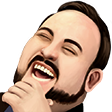 LUL
LUL Sadge
Sadge malding
 Poggers / PogChamp
 WeirdChamp
 monkaS
 catJAM
 5Head
5HeadShown at 28 pixels — the size almost everyone actually sees them at in chat.
The Three Layers of Twitch Emotes
1. Global Twitch emotes
Built into the platform and visible to everyone, everywhere, with no setup. Kappa, LUL, Jebaited, PogChamp. Small in number and slow to change.
2. Channel emotes
Uploaded by the streamer, unlocked by subscribing, cheering with Bits, or in some cases just following. Also visible to everyone — a subscriber emote works in every chat on Twitch, not only the channel it came from.
3. Third-party emotes
Added by 7TV, BetterTTV or FrankerFaceZ. This is where nearly every famous emote lives — and they are viewer-side only. The extension swaps the text for an image inside your own browser. Anyone without it sees the word.
The Emote Glossary
Ordered roughly by how often people look them up. The “where” column matters — it tells you whether you need an extension to see it.
KEKW
FFZ / 7TVHard, uncontrollable laughter
A still of Spanish comedian Juan Joya Borja — the “El Risitas” laughing man. Built from “kek”, the World of Warcraft rendering of “lol” for the opposite faction; first uploaded to FrankerFaceZ in August 2019.
LUL
Twitch global / BTTVLaughing — the everyday one
The face of the late streamer and commentator TotalBiscuit, mid-laugh. Originally added as an unofficial emote before being cleaned up and rehosted.
Sadge
BTTV / 7TVGenuine disappointment, not ironic
A drooping Pepe the Frog. Used when something is actually a shame, as opposed to the joke-sad emotes.
malding
Chat slang / 7TVMad + balding — angry to the point of losing your hair
Chat slang before it was an emote, aimed at streamers visibly tilting. Usually said about someone, rarely about yourself.
Poggers / PogChamp
Twitch global / BTTVHype, shock, something incredible just happened
PogChamp came from a blooper reel involving Ryan “Gootecks” Gutierrez. Twitch removed Gootecks' face in January 2021; the PogChamp slot is now the KomodoHype dragon, and POGGERS is the Pepe version on the extension layer.
WeirdChamp
BTTV / 7TVSecond-hand embarrassment or disappointment in someone
A Pepe/Gootecks hybrid. The reaction to a bad take rather than a bad play.
monkaS
BTTV global / 7TVAnxiety — a tense moment you cannot look away from
A sweating Pepe. Clutch situations, awkward silences, someone about to read chat out loud.
catJAM
BTTV / 7TVVibing to music
An animated head-bobbing white cat. Spammed the moment a song starts. The counterpart, catKISS, shows up in the same threads.
5Head
BTTV / 7TVA genuinely smart play or idea
A stretched-forehead Pepe — the escalation of “4Head”. Also used sarcastically for the opposite, which is most of Twitch in one sentence.
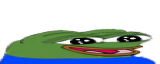
widepeepoHappy
FFZ / BTTV / 7TVWholesome delight
A stretched, smiling Pepe. The sincere reaction emote in a chat culture built on irony.

PepeHands
BTTV / 7TVEmotional, near tears
A crying Pepe with hands raised. Sad stories, farewells, a run ending badly.

Pepega
FFZ / BTTV / 7TVSomething stupid, affectionately
A deliberately malformed Pepe. Aimed at bad plays and worse jokes.
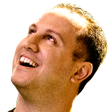
Jebaited
Twitch globalYou fell for it — a bait worked
Alex Jebailey's own face, added as an official Twitch global emote. One of the rare non-Pepe survivors.

Kappa / golden Kappa
Twitch globalSarcasm marker — the oldest one on the platform
Josh DeSeno, an early Justin.tv employee, whose face shipped inside the original chat client. The golden Kappa is a gold recolour: once granted to random accounts, now also earned by contributing to a Golden Kappa Hype Train, and it lasts 24 hours.


KKona
BTTV / 7TVStereotypically American
Streamer Kona, used for anything cartoonishly USA — trucks, guns, barbecue, freedom.

COPIUM
BTTV / 7TVCoping with an outcome you refuse to accept
A face on an oxygen line fed by a copium tank. Fan bases in denial after a loss.

GIGACHAD
7TV / BTTVPeak confidence, admiration
The heavily stylised “Ernest Khalimov” portrait from a photo series. One of the most-added emotes on 7TV.
A pattern worth noticing: an enormous share of them are Pepe the Frog variants. Twitch's emote rules require you to own the artwork, and Pepe belongs to Matt Furie — so the entire family lives on the third-party layer — which is a large part of why extensions became mandatory to read chat at all.
The Most Used Twitch Emotes Right Now
Counted across Twitch chats tracked by Streams Charts for one week, September 14–20, 2026. “Uses” are rounded and best read as relative size; “channels” is how many different chats typed it at least once — the better measure of how universal an emote is. LUL leads on both, which is the advantage of being a native emote: everyone sees it without an extension.
| # | Emote | Uses in a week | Channels |
|---|---|---|---|
| 1 | LUL | 2.9M | 19,924 |
| 2 | KEKW | 738,270 | 10,116 |
| 3 | Kappa | 620,008 | 16,529 |
| 4 | xdd | 514,713 | 7,068 |
| 5 | o7 | 431,360 | 8,433 |
| 6 | OOOO | 360,506 | 6,831 |
| 7 | NotLikeThis | 340,246 | 13,960 |
| 8 | EZ | 321,954 | 9,607 |
| 9 | OMEGALUL | 277,975 | 3,785 |
| 10 | PogChamp | 269,540 | 11,216 |
| 11 | Pog | 186,439 | 6,063 |
| 12 | ICANT | 173,327 | 3,276 |
| 13 | SeemsGood | 140,294 | 10,580 |
| 14 | WutFace | 131,872 | 7,671 |
| 15 | catJAM | 128,851 | 4,601 |
| 16 | Sadge | 125,789 | 7,066 |
| 17 | Aware | 117,191 | 4,758 |
| 18 | HeyGuys | 100,469 | 10,626 |
| 19 | Kreygasm | 98,252 | 7,243 |
| 20 | ResidentSleeper | 94,314 | 5,968 |
| 21 | PepeLaugh | 77,462 | 2,335 |
| 22 | Prayge | 73,345 | 3,614 |
| 23 | DinkDonk | 52,876 | 1,583 |
| 24 | monkaS | 51,614 | 4,842 |
| 25 | GIGACHAD | 49,397 | 2,546 |
Kick chat runs on a different set — its global KEKW alone appeared in about 2.8 million messages in a single day. The Kick ranking is in our Kick emotes guide.
7TV vs BetterTTV vs FrankerFaceZ
7TV
The current favourite. Enormous library — over 1.6 million emotes — with strong animated support and emote sets you can swap per channel.
BetterTTV
The long-standing default, usually shortened to BTTV. Adds global emotes plus a per-channel set the streamer curates, and bundles a pile of chat quality-of-life features.
FrankerFaceZ
The oldest of the three, abbreviated FFZ. Smaller emote library, but the deepest chat customisation options.
All three install as browser extensions, all three work alongside each other, and none of them require a Twitch account change. Install one, reload Twitch, and chat suddenly makes sense. Most regular viewers run 7TV and BetterTTV together.
What this means if you are the streamer
Third-party emotes are free and unlimited, which is tempting — but a chunk of your audience will never see them. Anything load-bearing (a sub perk you are advertising, an emote tied to a campaign) has to be a real Twitch emote. Use the extensions for chat culture, not for anything you are selling.
How to Add Your Own Twitch Emotes
Emote slots start at Affiliate. If you are not there yet, that is the first step — the bar dropped in June 2026 to 25 followers, 4 hours streamed, 4 broadcast days and 3 average viewers (full requirements here).
- 1Open Creator Dashboard → Viewer Rewards → Emotes.
- 2Pick the tier you are uploading for — subscriber tiers, Bits tiers, or follower emotes.
- 3Upload your artwork and give it a name. Names are global across Twitch, so common words are long gone; most streamers use a short channel prefix.
- 4Submit for review. Emotes are checked against Twitch's guidelines before they go live, so leave time before a launch.
You unlock further slots as your channel accumulates subscriber points — Tier 1 subs count one point, higher tiers count more — so slot count tracks paid support rather than follower count. Partners have access to considerably more slots than Affiliates, along with custom sub badges and a custom emote prefix.
Emote Size and File Rules
112 × 112
pixels
56 × 56
pixels
28 × 28
pixels
- PNG with a transparent background, under 1 MB per file. Chat backgrounds differ between light mode, dark mode and channel themes — a solid background makes your emote look like a sticker pasted into the conversation.
- You can upload one square PNG between 112×112 and 4096×4096 and let Twitch generate the two smaller sizes, or upload all three yourself when you want control over how the small one looks.
- Design for 28 pixels, not 112. That is the size almost everyone sees. If the joke does not read as a thumbnail-sized blob in fast-moving chat, it does not work — thin lines, small text and fine detail all disappear.
Name it carefully. Emote names are unique across all of Twitch, and every short, obvious word was claimed years ago. A consistent channel prefix solves the collision problem and doubles as branding when your emotes show up in other people's chats.
Where To Go Next
Frequently Asked Questions
What does KEKW mean on Twitch?
Hard laughter. The image is Spanish comedian Juan Joya Borja, known online as “El Risitas”, and the name comes from “KEK” — an older internet rendering of LOL. It is not a native Twitch emote: you need BetterTTV or 7TV to see it.
What does Poggers mean?
Excitement or shock at something impressive — the chat equivalent of shouting. It is the Pepe version of PogChamp, which came from a blooper reel featuring Ryan “Gootecks” Gutierrez. Both mean the same thing in practice.
Why can't I see some emotes in Twitch chat?
Because most of the famous ones are not Twitch emotes at all. KEKW, Sadge, monkaS, Pepega, catJAM and the rest come from third-party browser extensions — 7TV, BetterTTV or FrankerFaceZ. Without one installed you see the plain text name instead of the image, which is why chat sometimes looks like nonsense words.
What size do Twitch emotes need to be?
Three sizes: 112×112, 56×56 and 28×28 pixels, as PNG with a transparent background, under 1 MB each. You can upload one square PNG between 112×112 and 4096×4096 and let Twitch generate the smaller versions, or upload each size separately when you want per-size control.
How do I get emotes on my Twitch channel?
Reach Affiliate status, which unlocks your first emote slot, then upload in Creator Dashboard under Viewer Rewards → Emotes. More slots unlock as your subscriber points grow, and Partners have access to substantially more. Separately, you can add unlimited third-party emotes through 7TV or BetterTTV — but only viewers with the same extension will see those.
What is the golden Kappa?
A gold-tinted version of the Kappa emote that renders gold in every chat for 24 hours. Twitch used to grant it to random accounts; today the documented way is a Golden Kappa Train — a special Hype Train where everyone who contributes gets the golden Kappa for a day.
Is 7TV better than BetterTTV?
7TV has the far larger library and better animated emote handling, and it is where most new emotes appear first. BetterTTV has broader adoption and more chat utility features. They can run alongside each other, which is what most heavy chat users do.
Does adding third-party emotes break Twitch's rules?
No. These extensions render emotes locally in your own browser rather than changing anything on Twitch's side. The trade-off is that they are viewer-side only: a viewer without the extension sees plain text where the emote should be, so anything you actually need everyone to see has to be a real Twitch emote.